Appium vs AI Testing Agents: What Actually Changes?
Shachar Landshut
Co-founder @ Loadmill | Building agent-based testing (CUA) |
Appium vs AI Testing Agents: What Actually Changes?
Mobile test automation has not fundamentally changed in a long time.
Most teams are still writing tests that locate elements, perform actions, and assert results. In Appium, that usually means working with IDs, XPath, accessibility labels, waits, and scripts that describe exactly how the app should be operated.
It works, until it doesn’t.
As mobile apps become more dynamic, with animations, popups, conditional flows, changing layouts, and personalized screens, test maintenance becomes harder. Tests become flaky. Locators break. Engineers spend more time fixing automation than expanding coverage.
AI testing agents introduce a different model.
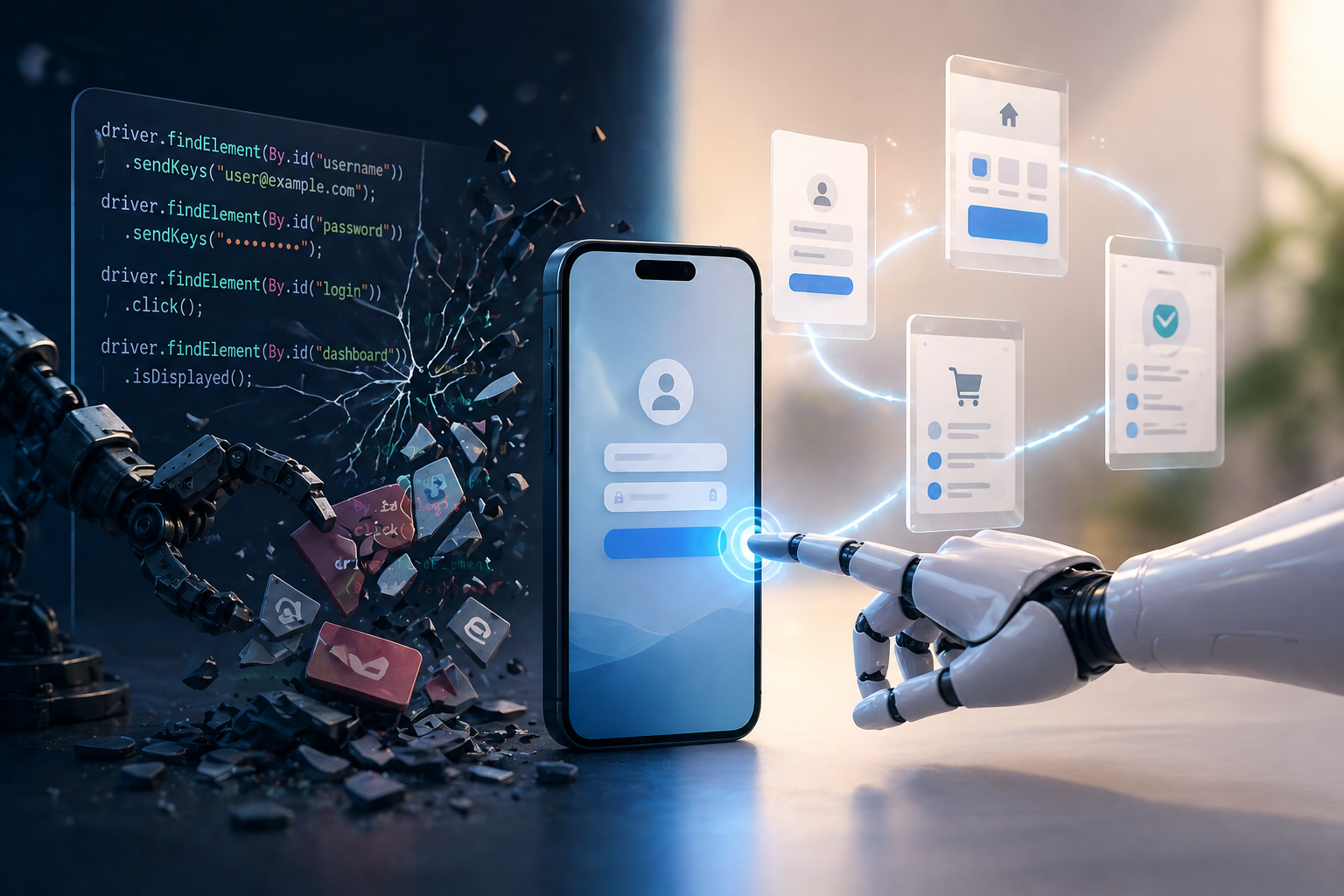
They are not simply a faster way to write Appium tests. They represent a new layer of automation, one based on intent, visual understanding, and app context.
The Appium Mental Model
At its core, Appium automates implementation details.
A typical Appium test follows a familiar pattern:
- Find an element by ID, XPath, or accessibility label
- Wait for it to appear
- Tap, type, or scroll
- Repeat until the flow is complete
- Assert that the expected result occurred
This gives engineers a lot of control, but it also creates tight coupling between the test and the structure of the app.
If an element ID changes, the test can fail. If a screen layout shifts, the test can fail. If a popup appears at the wrong moment, the test can fail. If a wait is too short, the test can fail. If the UI hierarchy changes, even though the user experience remains the same, the test can still fail.
That is the core tradeoff of locator-based automation: it is precise, but often brittle.
AI Testing Agents Introduce a New Layer
AI testing agents approach mobile automation differently.
Instead of controlling the app through implementation-level targets, an AI agent operates more like a human tester. It looks at the current screen, understands the instruction, decides what action to take, and then observes the next screen before continuing.
The mental model changes from scripting a robot to briefing a teammate.
Instead of writing every tap, field, and wait, you describe the goal:
Sign in with the standard test account and verify that the dashboard is visible.Or:
Search for a product, add it to the cart, and verify that the cart shows the correct price.The test is still precise, but the precision moves to a different place. Instead of precise selectors, you need precise product language: clear screen names, exact button labels, visible success signals, and strong assertions.
What Actually Changes?
1. From Selectors to Vision
Appium depends on selectors. AI testing agents operate visually.
That means the agent does not need to know the internal ID of a button. It needs to see the button, understand its label or role, and decide whether it matches the instruction.
This is especially useful in mobile apps where locators are inconsistent, missing, deeply nested, or frequently changing.
But this does not mean precision disappears. It just changes form. A visual agent needs clear UI signals. If two buttons look nearly identical, or if success is only implied by a subtle state change, the test should describe what the agent should look for.
2. From Scripts to Intent
In Appium, tests usually describe the mechanics of the flow.
Find the email field.
Type the email.
Find the password field.
Type the password.
Tap the login button.
Wait for the dashboard.
With an AI testing agent, the same flow can often be expressed as intent:
Sign in using the standard test account and verify that the dashboard is visible.The difference is not just shorter syntax. It changes who is responsible for the details.
With Appium, the engineer tells the automation exactly how to move through the app. With an AI agent, the engineer defines the goal, the expected outcome, and any context the agent needs to complete the task correctly.
3. From Brittle Execution to Adaptive Execution
Locator-based tests often fail when the UI changes, even if the user journey still works.
AI agents re-evaluate the screen at each step. After every action, the agent observes the new screen and decides what to do next. This allows the test to adapt to certain changes in layout, order, or presentation.
For example, if a popup appears, a human tester would close it and continue. A well-instructed AI agent can do the same.
This is one of the biggest practical differences. Instead of failing immediately because the exact expected element is blocked or shifted, the agent can reason about what is visible and continue toward the goal.
4. From Step-by-Step Control to Goal-Driven Testing
Appium is strongest when you want exact control over every action.
AI agents are strongest when you want to express the goal and let the agent handle the interaction path.
That does not mean every instruction should be extremely high-level. Some flows still need more guidance. If a screen is confusing, if multiple controls look similar, or if the agent repeatedly chooses the wrong path, the right move is to add more detail.
The best approach is to start with intent and add specificity only where needed.
5. From Debugging Code to Debugging Behavior
When an Appium test fails, the investigation usually starts with code, logs, selectors, waits, or device state.
When an AI agent test fails, the investigation starts with behavior:
- What did the agent see?
- What did it think the instruction meant?
- Where did its behavior first diverge from the intended flow?
- Was the instruction unclear?
- Was the expected result visible?
- Was important app knowledge missing from context?
The failure mode shifts from “element not found” to “the agent misunderstood the screen or lacked the right context.”
That is still debugging, but it is a different kind of debugging.
Example: Same Test, Different Approach
Imagine a simple food-ordering flow:
- Open the app
- Close any popup if it appears
- Select a menu category
- Choose an item
- Add it to the cart
- Verify the displayed price
In Appium, this usually requires a locator strategy for each screen, waits around dynamic elements, popup handling logic, and assertions tied to specific elements.
With an AI testing agent, the test can be written closer to the way a QA engineer would describe the scenario:
Open the app.
Close any popup if it appears.
Select the main menu category.
Choose a listed item.
Add it to the cart.
Verify that the cart shows the expected price.
The outcome is the same. The level of abstraction is different.
How AI Testing Agents Work
At a high level, an AI testing agent follows a simple loop:
- Observe the current screen
- Read the instruction
- Use any available app context
- Choose the next action
- Execute the action
- Observe the new screen
- Continue until the instruction is complete or blocked
The agent can tap, type, scroll, wait, and verify what is visible. It does not magically know everything about the app. It knows what it can see, what the instruction says, and what has been provided as context.
This is why context matters so much.
Context Is What Replaces Hidden Assumptions
In traditional automation, selectors provide a path to elements.
In agent-based automation, context provides understanding.
Context can explain:
- What the app does
- Which environment the test should use
- Which test accounts are available
- What different roles mean
- Which screens are important
- Which buttons or labels are easy to confuse
- What success looks like after a completed action
This is one of the biggest differences between a generic prompt and a reliable test. A good AI mobile test is not just a plain-English sentence. It is an instruction supported by the right app knowledge.
When Appium Still Makes Sense
AI testing agents do not make Appium irrelevant.
Appium still makes sense when:
- You need exact low-level control
- The flow is stable and already well-covered
- You have strong accessibility IDs and mature automation infrastructure
- You are validating highly deterministic interactions
- You already have a large Appium suite that works reliably
The goal is not to replace every Appium test just because AI exists.
The goal is to use the right abstraction for the right problem.
When AI Testing Agents Win
AI testing agents are especially useful when:
- Tests are expensive to create
- Locators are unstable or inconsistent
- Popups and conditional flows are common
- The UI changes often
- The team wants faster coverage without writing long scripts
- QA engineers want to describe user behavior instead of maintaining implementation details
They are also useful for teams that have struggled to scale mobile automation because the maintenance cost became too high.
The Real Shift
The most important change is not that AI testing agents make tests shorter, although they often do.
The real change is the layer of automation.
Appium automates the implementation.
AI testing agents automate the user experience.
That shift changes how tests are written, how they are maintained, how failures are debugged, and how quickly teams can turn real QA scenarios into executable automation.
For hands-on QA engineers, the takeaway is simple:
If your mobile tests are stable, valuable, and easy to maintain, keep them.
But if your team is spending too much time fighting locators, debugging flaky flows, or avoiding mobile automation because the effort is too high, AI testing agents introduce a new path forward.
Try Loadmill Droid CUA
Loadmill Droid CUA helps QA engineers turn intent-based instructions into executable mobile tests that run on real devices, adapt to what appears on screen, and produce verifiable results.
If Appium maintenance is slowing down mobile coverage, Droid CUA provides a practical way to test user flows without relying on brittle selectors.
FAQ
What is the difference between Appium and AI testing agents?
Appium automates mobile apps through selectors, scripts, waits, and direct control over UI elements. AI testing agents operate visually, interpret instructions, and decide actions based on what appears on screen.
Are AI testing agents an Appium replacement?
Not always. AI testing agents are better viewed as a new automation layer. They are useful for dynamic mobile flows, fast test creation, and reducing locator maintenance. Appium can still be useful for deterministic, low-level interactions.
Why do Appium tests become flaky?
Appium tests often become flaky because they depend on locators, timing, screen structure, and UI hierarchy. If any of these change, tests can fail even when the user experience still works.
How do AI testing agents interact with mobile apps?
AI testing agents observe the screen, interpret the instruction, choose an action such as tap, type, scroll, or wait, then observe the next screen before continuing. This allows execution to adapt to visible changes in the app.
Do AI testing agents still need assertions?
Yes. Assertions are still essential. The difference is that assertions should describe visible outcomes, such as a confirmation screen, cart badge, status label, or error message.
When should QA engineers use AI testing agents instead of Appium?
AI testing agents are a good fit when locator maintenance is high, UI flows change frequently, popups or conditional states are common, or the team needs to create mobile test coverage faster.
Can AI testing agents handle popups and dynamic screens?
Yes, when the instruction is clear. For example, an instruction like “Close any popup if it appears” gives the agent permission to handle common interruptions and continue the flow.
Is AI mobile testing the same as no-code testing?
No. Many no-code tools still depend on recorded steps and selectors behind the scenes. AI mobile testing agents rely on visual understanding, intent, and context to decide what to do next.
Try Loadmill's Droid CUA now
Turn Jira stories, epics, and plain-English requirements into executable flows across web and mobile platforms.
Download now