How One AI Testing Agent Runs the Same Test Across iOS and Android
Shachar Landshut
Co-founder @ Loadmill | Building agent-based testing (CUA) |
Testing the same mobile journey on iOS and Android often means maintaining two versions of the automation.
The product behavior may be nearly identical, but the interfaces are not.
Buttons can have different labels. Navigation patterns may change. Permission prompts, keyboards, dialogs, and loading states can behave differently. Even when both applications support the same user journey, the exact interaction path may vary from one platform to the other.
This creates an important question for mobile teams:
Can one reusable test describe the intended behavior while adapting its execution to each platform?
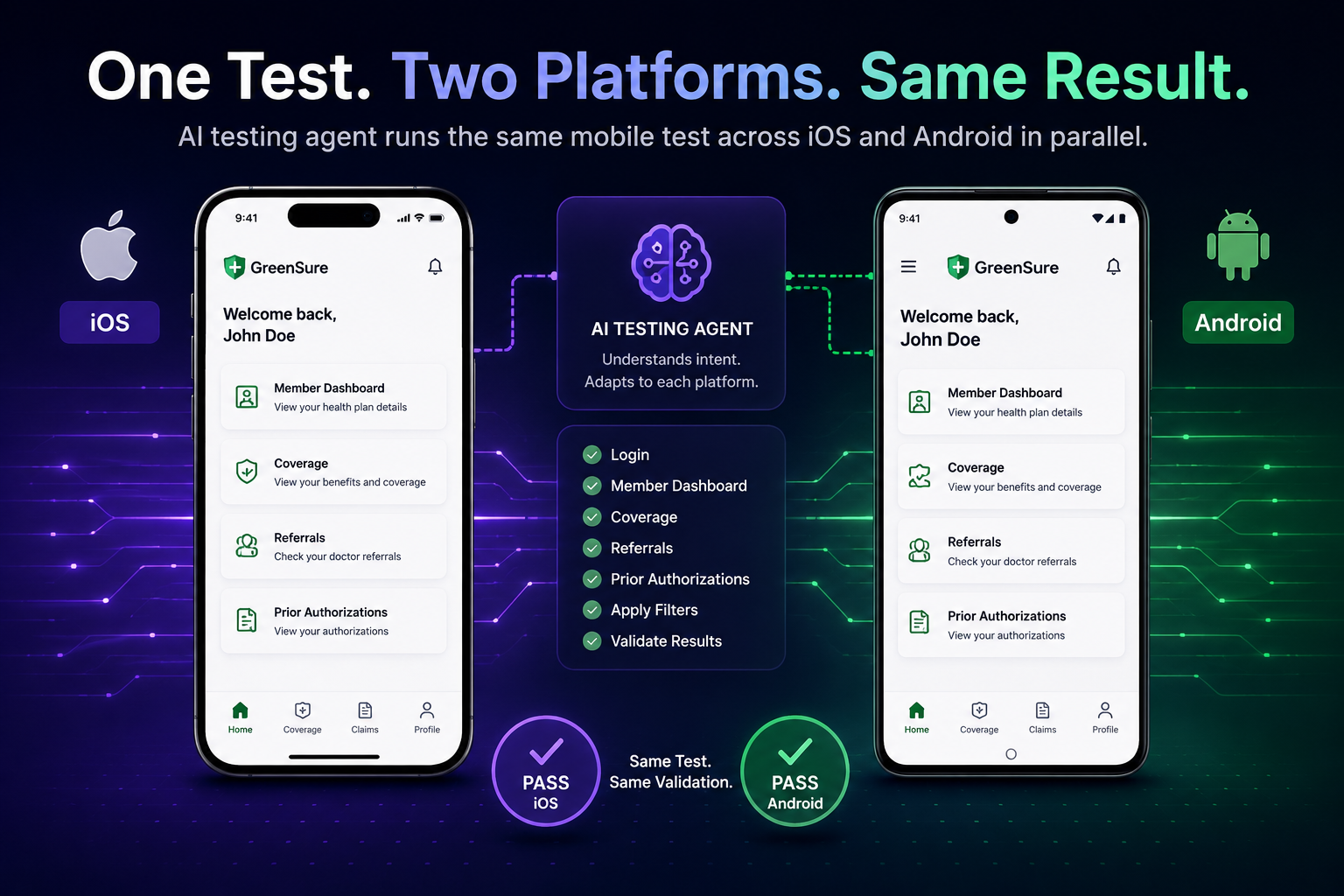
In this demo, Loadmill Droid CUA runs the same healthcare application test on iOS and Android at the same time. The agent completes the login flow, handles platform-specific interface differences, navigates the member dashboard, filters referrals and prior authorizations, and validates the result independently on both devices.
The Same Feature Does Not Always Mean the Same Interface
Cross-platform mobile applications are usually designed to offer the same core functionality on iOS and Android.
That does not mean the applications are visually or behaviorally identical.
Differences can appear in:
- Navigation components
- Button placement and labels
- Native dialogs and permission prompts
- Form controls and keyboards
- Back-navigation behavior
- Loading indicators
- Screen dimensions and spacing
- Platform-specific onboarding or welcome screens
A user can usually recognize that two different controls serve the same purpose.
A conventional automation script often needs that relationship to be encoded explicitly.
The iOS test may locate one element and follow one interaction path, while the Android test uses another selector, another wait condition, or a slightly different sequence of steps.
Over time, the two tests can begin to drift even though they are meant to validate the same behavior.
Cross-Platform Testing Often Creates Duplicate Logic
When test automation is tightly coupled to the implementation of each interface, platform differences become part of the test code.
A login scenario might need separate logic for:
- The iOS email field
- The Android email field
- The iOS password field
- The Android password field
- Different sign-in button identifiers
- Different loading and transition behavior
- A welcome screen that appears only on one platform
The behavior being validated remains simple:
Sign in with the test account and verify that the member dashboard loads.
But the implementation of that test can become divided into platform-specific branches.
This duplication is not necessarily a flaw in the automation framework. It is a consequence of describing the exact interaction path for two different user interfaces.
Start With the Shared Test Intent
An agent-based mobile test can start from the behavior that both applications are expected to support.
For example:
Sign in with the member account. Open the coverage section, navigate to referrals and prior authorizations, filter the list, and verify that the expected result is displayed.
The scenario does not need to specify the exact coordinates, selector hierarchy, or platform-specific control used at every step.
Instead, the agent can interpret the interface it encounters on each device and determine how to continue toward the same expected outcome.
The stable layer is the test intent.
The variable layer is the interaction path required by each platform.
Watch One Mobile Test Run Across iOS and Android
In the following demo, Droid CUA loads one reusable test for both platforms and executes the two runs in parallel.
The iOS and Android applications move through the same healthcare journey, but the agent handles each device according to the interface currently visible on that platform.
Droid CUA executes the same reusable healthcare test across iOS and Android in parallel, adapting to each platform and validating the final result independently.
One Test Does Not Mean One Identical Sequence
Running one reusable test across two platforms does not require both executions to perform the exact same actions in the exact same order.
That distinction is important.
The intent of the test can remain consistent while each run follows the interface available on its device.
For example:
- One platform may display a welcome screen before the dashboard.
- A navigation item may appear in a different position.
- The filter control may use a different visual component.
- A button may have different text while representing the same action.
- One application may require an additional confirmation step.
An agent can observe these differences during execution and adapt its next action without requiring every variation to be written into the original scenario.
The goal is not identical execution.
The goal is consistent behavioral validation.
Parallel Execution Changes the Feedback Loop
Running the iOS and Android versions at the same time provides more than a reduction in total execution time.
It also makes platform differences easier to identify.
If the test passes on Android but fails on iOS, the team immediately has a useful comparison point.
The difference may come from:
- A feature that was implemented differently
- A platform-specific regression
- A missing screen or control
- Different data being displayed
- A timing or loading issue
- An agent interpretation that needs investigation
Because the same intended behavior is being tested, the two executions create comparable evidence.
That helps the team determine whether the applications remain functionally aligned across platforms.
Validation Must Remain Independent on Each Device
Sharing one test intent does not mean sharing one final result.
Each device should still be validated independently.
For the healthcare scenario, the test should confirm on both platforms that:
- The user successfully signed in
- The member dashboard loaded
- The correct coverage section opened
- The referrals and prior authorizations view was reached
- The requested filter was applied
- The expected results were displayed
A successful Android run cannot compensate for an unsuccessful iOS run.
The reusable scenario defines the shared behavior, while each execution produces its own result and evidence.
What Makes a Scenario Reusable Across Platforms?
A cross-platform scenario should focus on behavior and observable outcomes rather than platform-specific mechanics.
A brittle instruction might say:
Tap the third icon in the bottom navigation bar, then tap the blue filter button in the upper-right corner.
That instruction assumes that both applications use the same layout and visual structure.
A more reusable instruction would say:
Open the coverage section, navigate to referrals and prior authorizations, apply the requested filter, and verify that the matching results are displayed.
The second version defines:
- The area of the application to open
- The behavior to perform
- The outcome to validate
It leaves the platform-specific navigation decisions to the agent executing the test.
Where Platform-Specific Instructions May Still Be Needed
Not every difference should be hidden behind a single generic scenario.
Some functionality is intentionally platform-specific.
Examples may include:
- Apple Pay and Google Pay flows
- Platform-specific permission behavior
- Different biometric authentication systems
- iOS-only or Android-only features
- Different deep-linking behavior
- Platform-specific system settings
In those cases, the test may need platform-aware conditions or separate scenarios.
The value of a reusable cross-platform test is not that it forces every application difference into one path.
It is that teams do not need to duplicate the test when the intended product behavior is genuinely shared.
Cross-Platform Testing Beyond Login
The same approach can apply to many mobile user journeys.
Examples include:
- Onboarding and account creation
- Product search and filtering
- Shopping-cart and checkout flows
- Insurance policy and claims workflows
- Healthcare coverage and appointment flows
- Banking and payment journeys
- Travel search and booking
- Profile and account-management changes
- Localization testing
- Content download and offline access
In each case, the product requirement can remain stable even when the controls used to complete it differ across iOS and Android.
What to Evaluate in a Cross-Platform Agentic Test
A successful demonstration is only the beginning.
When evaluating this approach, teams should consider:
- Does the scenario remain readable and reviewable?
- Can the agent handle meaningful platform differences?
- Does each device produce separate execution evidence?
- Can failures be traced to the relevant step and platform?
- Can the same test run repeatedly across different devices?
- How does the test behave when one platform introduces an extra screen?
- Can the runs execute in parallel in the intended environment?
- Are the final assertions equally meaningful on both platforms?
The objective is not merely to prove that the agent can operate two phones.
It is to determine whether one behavioral test can provide dependable and understandable coverage across both mobile platforms.
From Two Automation Paths to One Shared Intent
Cross-platform applications are built around shared product behavior, but their automated tests often become divided by implementation details.
An agentic approach introduces another model.
The team defines the journey and the expected outcome once. The testing agent interprets the live iOS and Android interfaces, adapts its actions to each platform, and validates the result separately on both devices.
The important shift is not simply running two tests at the same time.
It is separating the behavior being tested from the exact interface mechanics used to reach it.
That makes it possible to preserve one reusable test intent while still respecting the differences between iOS and Android.
Try Cross-Platform Mobile Testing With Droid CUA
Droid CUA lets teams create reusable mobile tests from natural-language scenarios and execute them against live iOS and Android application interfaces.
Start with one journey supported on both platforms, define the expected outcome clearly, and evaluate how the agent adapts its execution on each device.
Try Loadmill's Droid CUA
Turn Jira stories, epics, and plain-English requirements into executable flows across web and mobile platforms.
Download now